
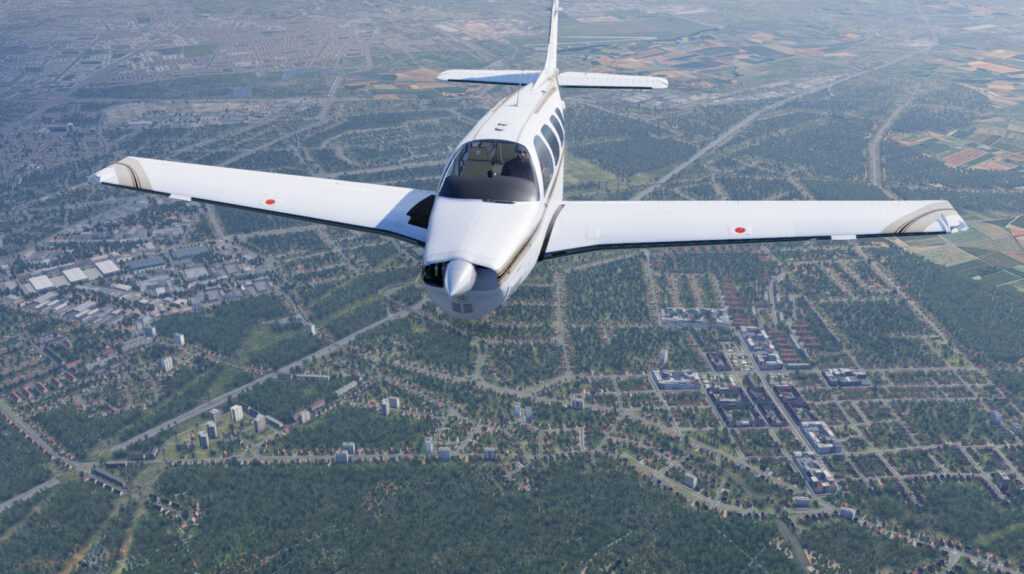
Hi everyone! We have just released REP 5.0.11. As always, this update is free for all current REP users. The main news concerns the PAE A36 Bonanza: we have updated its avionics, including the EDM930, the EDM800, the TKS panel, the clock, the S-TEC 55X and the GTX345. In addition, this release brings fixes and improvements for the SR22, the C210, the Arrow Turbo and the Laminar Baron 58. Here are the details, aircraft by aircraft.
1. PAE A36 Bonanza: Avionics Update
EDM930 Engine Monitor
- New resizable 2D popup. You can now view the live EDM930 in a separate window. Also, you can drag the housing, resize it from the edges and corners, and pop it out.
- Selectable °F / °C engine temperatures. Choose your preferred units for engine temperatures, peak differences and cooling rates. Then, REP saves your selection.
- More reliable LeanFind detection. REP now tracks the peak of each cylinder more precisely. Also, it filters out isolated temperature spikes.
- Corrected ROP / LOP peak selection. ROP now references the first cylinder to peak. Instead, LOP references the last one, after all six cylinders confirm their peak.
- Improved peak recall. Hold LF/PEAK to review the captured peak EGT and fuel flow. In LOP mode, you also see the fuel-flow spread between the first and the last cylinder.
- Continuous leaning feedback. Cylinder tracking continues during status messages. Moreover, temperature differences keep updating after the EDM detects all peaks.
EDM800 Engine Monitor
- Interactive 2D popup and pop-out. A separate instrument window with working STEP and LF buttons. You can also assign open, close and toggle commands.
- Selectable Fahrenheit and Celsius. A new units setup page saves your preference. Therefore, the EDM applies the same conversion to all temperature readouts and to LeanFind.
- Improved LeanFind peak detection. New noise filtering and more reliable peak confirmation. As a result, the EDM now handles pauses, simulation speed changes and interrupted sensor readings better.
- Better ROP and LOP indications. Improved first-to-peak and last-to-peak tracking, LEANEST/RICHEST messages and live temperature differences from peak.
- Corrected REP temperature sources. TIT now uses the dedicated REP turbine inlet temperature reading. We have also corrected the oil temperature source and the native X-Plane unit conversion.
- Improved TIT and oil display. Configurable temperature limits, clearer selection markers and correct oil-only behavior on non-turbo configurations.
- Fixed fuel-used accumulation. The EDM could discard small time steps. As a result, normal fuel consumption did not accumulate properly. Therefore, we have fixed the calculation.
- Updated power-off appearance. When unpowered, the instrument hides live readings and illuminated indications, but it keeps a dim display background.
TKS Ice Protection
- New interactive 2D TKS panel. Control the ice protection system through a dedicated popup.
- Synchronized mode selector. Select ANTI-ICE, OFF or DE-ICE from the popup. At the same time, the cockpit controls reflect the same setting.
Clock
- Interactive 2D popup. A dedicated clock popup with working MODE, + and – buttons. You can also assign open and close commands.
- Automatic flight timer. A new FLIGHT mode with a resettable flight counter. In addition, the clock retains the total flight time.
- Configurable countdown timer. Set a countdown up to 99:59:59. The display flashes at expiry and then shows the elapsed time.
- Expanded stopwatch. The stopwatch now supports hours, minutes and seconds, with start and stop controls. Moreover, you cannot reset it while it runs.
- Customizable time display. Choose 12-hour or 24-hour local time, with AM/PM, and show or hide the seconds. However, UTC stays in 24-hour format.
- Improved electrical behavior. Battery power and the clock circuit breaker control the display and the timers. Therefore, the clock ignores button presses when unpowered.
S-TEC 55X Autopilot
- Expanded AUX altitude selector. New ST-360-style altitude, barometric pressure, vertical speed and decision-altitude controls, with entry confirmation and cancellation.
- Altitude alerting. Flashing annunciations and audible alerts when you approach or leave the selected altitude, plus decision-altitude alerts.
- Interactive popup panels. Separate popups for the main controller and the AUX unit. In addition, they feature working buttons, knob clicks, mouse-wheel adjustment and assignable keyboard and joystick commands.
- Improved electrical behavior. Moreover, the main, AUX and popup displays now respond consistently to avionics power, autopilot power and the REP autopilot circuit breaker.
- Better failure handling. Computer and servo failures show FAIL, disconnect the autopilot and block engagement while the fault persists. After you restore power or clear a fault, you need to engage the autopilot again manually.
- Corrected startup annunciations. Furthermore, lamp-test, trim-arrow, mode and RDY indications now follow the native X-Plane startup sequence.
- Fixed altitude double-stepping. A single click on the altitude selector could change the altitude by 200 ft instead of 100 ft. As a result of the fix, each click now changes it by 100 ft.
GTX345 Transponder
- Interactive 2D popup. The popup shows the GTX345 bezel artwork, as well as working buttons and live instrument readouts.
- Realistic electrical behavior. The transponder now follows avionics power, bus voltage and the REP transponder circuit breaker, where available.
- Correct power restoration. A power loss blanks the display and switches the transponder off. When power returns, the transponder restores its previous mode. However, it respects an explicit OFF selection.
- Mode and squawk fixes. ON mode no longer reverts to standby. Moreover, the transponder now synchronizes better with squawk codes that change externally, including 0000.
- Better squawk controls. Improved CLR, held-CLR and CRSR behavior. Also, you can no longer enter an incomplete code. In addition, VFR now toggles between the configured code and the previous squawk.
- Failure and IDENT improvements. New XPDR FAIL / NO TRANSMIT messages and better IDENT synchronization. During failures, the transponder suppresses the IDENT and reply indications.
2. Cirrus SR22: Avionique G1000 Mod
REP is now compatible with the Avionique G1000 mod. Therefore, you can now use REP and the mod together.
3. Cessna 210: Gear Drag
We have improved the landing gear drag. As a result, it is now more realistic.
4. Piper Arrow Turbo: Overboost Light
The turbo overboost light did not work correctly on the ground. Therefore, we have fixed it.
5. Laminar Baron 58: Lights Buttons
REP did not restore the status of the Panel lights and Flood lights buttons properly between sessions. Therefore, we have fixed the issue.
6. All Aircraft: Fixes
- The audio library could cause a crash on some systems. However, we have now fixed it.
- The “Reset economy” button did not work properly in some screen configurations. As a result of this update, it now works as expected.
How to Update
As always, this update is free for all current REP users. You can get it in two ways:
- Use the SkunkCrafts Updater.
- Alternatively, download the full installation package again from the X-Plane store and reinstall REP from scratch.
Enjoy the skies!